

TL;DR
Companies should absolutely offer two-factor authentication. It makes accounts much harder to break into.
But if the only option is “we’ll email you a code”, that is not good enough.
Email codes are better than nothing, but they are often slow, awkward, and weaker than using a proper authenticator app. Companies should let users use their own 2FA app, such as 2FAS or Ente Auth, instead of forcing everyone through email-based codes.
Security Is Great. Bad Security UX Is Not.
Let’s start with the obvious: companies should offer two-factor authentication.
In fact, at this point, it is strange when they do not.
Passwords leak. People reuse passwords. Old accounts get breached. Staff leave. Devices get stolen. Phishing emails get better. Humans stay human.
2FA adds an extra step. That means a password alone is no longer enough to get into an account. This is a huge improvement, especially for anything that involves money, client data, business systems, admin access, email, hosting, domains, invoices, or personal information.
So yes, companies should push 2FA.
Hard.
But here is where many of them get it wrong.
They say they support 2FA, then only offer one method: “We’ll send you a code by email.”
That is where the good idea starts wobbling.
The Classic Problem:
“Check Your Email For The Code”
We have all seen it.
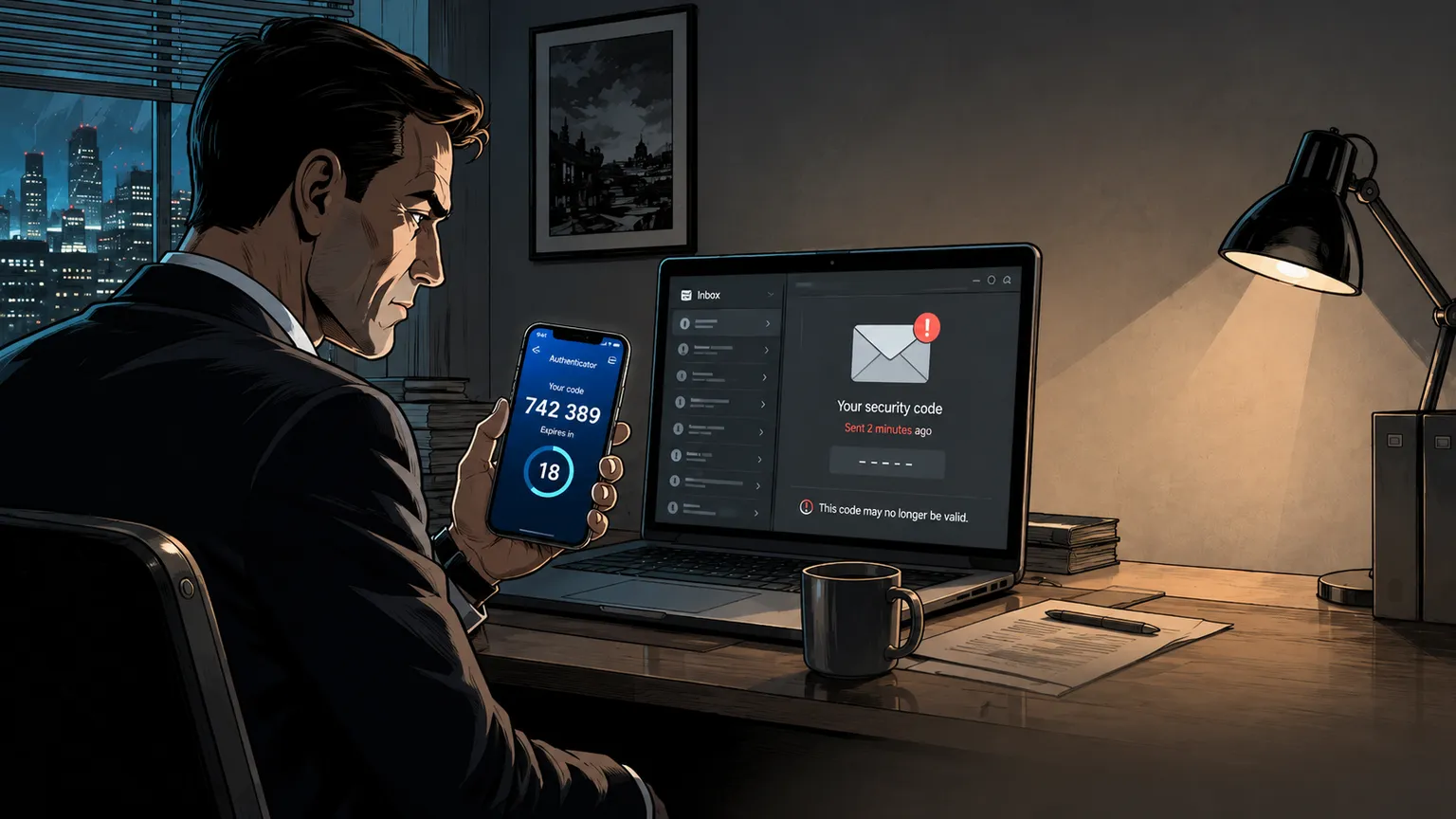
You enter your password. The site tells you it has sent a code to your email. You open your inbox.
Nothing.
You refresh.
Still nothing.
You check spam. You search the sender name. You refresh again, because apparently that is now your job.
Then the code arrives.
Five minutes later.
And of course, the code was only valid for five minutes, so by the time it finally shows up, it has already expired.
Brilliant.
Now you request another code. Maybe that one arrives instantly. Maybe it arrives after the next ice age. Maybe the first code and the second code arrive out of order, because email delivery has decided to add a puzzle round to your login process.
This is not good security. This is bad user experience wearing a security badge.

A Real-Life Example
Imagine you are travelling. You are at an airport, on mobile data, trying to log in to your hosting account because a client’s website is down.
You know your password.
You have your phone in your hand.
Your authenticator app is ready.
You could type in the six-digit code immediately.
But the company does not support authenticator apps.
Instead, it sends a login code to your email.
That email account uses extra protection too. Maybe it is not synced properly on that device. Maybe the connection is poor. Maybe the email is delayed. Maybe the mailbox is mainly used on your office machine. Maybe the message lands in spam. Maybe your email provider is having a bad day.
Now you are locked out, not because you failed security, but because the company chose a clumsy version of it.
That is the part that annoys me.
The secure user is punished for being prepared.
Email Is Often The Weak Link
Email codes are not useless. Let’s be fair.
They are better than having no second step at all.
But email is not the gold standard for 2FA. It is often the compromise option.
Why?
Because email itself can be compromised. If someone gets into your mailbox, they may be able to receive the very codes that are meant to protect your other accounts.
That is not a second factor in the cleanest sense. It is more like putting the spare key in the same drawer as the first key.
Email can also be delayed, blocked, filtered, forwarded, or accessed from shared devices. In business environments, inboxes can be delegated, synced across multiple clients, or handled by support teams. That may be useful for work, but it is not always ideal for account security.
So yes, email codes are convenient for companies.
But they are not always convenient or strong for users.
Authenticator Codes Are Short-Lived By Design
This is one of the best things about authenticator apps.
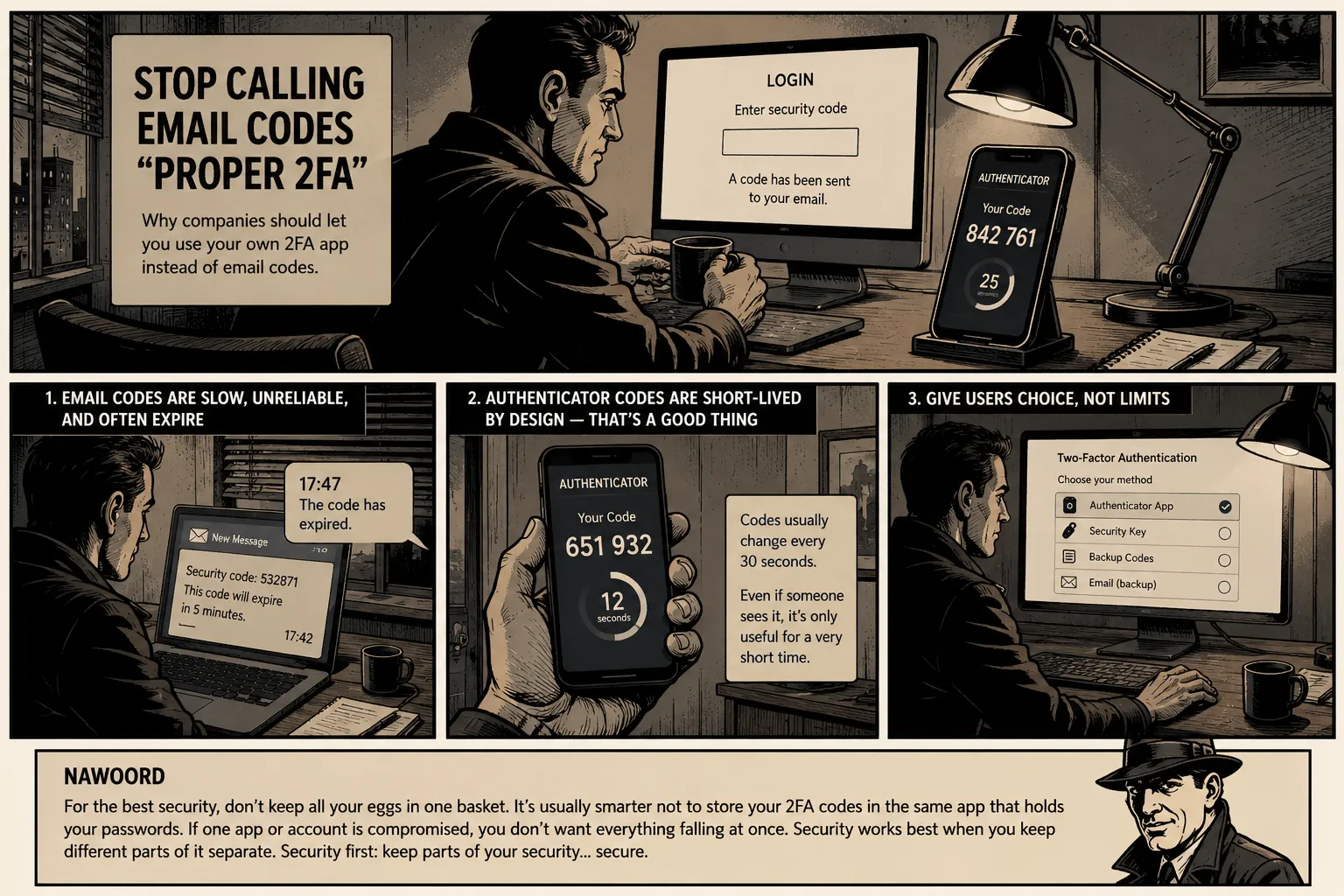
A normal authenticator app code is usually only valid for around 30 seconds.
That is the point.
Even if someone somehow sees the code, copies it, photographs it, or shoulder-surfs it, the clock is already ticking. Very shortly afterwards, that code becomes useless.
That is a powerful security advantage.
The code is not sitting in an inbox.
It is not waiting in an email thread.
It is not searchable later.
It is not being forwarded through mail systems.
It appears, works for a tiny window of time, and disappears.
That is exactly how this kind of security should behave.
Why Do Companies Still Choose Email Codes?
The uncomfortable answer is simple: because it is easier for them.
Email codes are familiar. Almost every user has email. Companies already send email. Support teams understand email. Product teams can tick the “2FA” box without building a better login flow.
It reduces friction for the company.
But it often adds friction for the user.
That is backwards.
Security should not be designed only around what is easiest to implement. It should be designed around what actually protects the account while still being practical in real life.
And in real life, many people always have their phone with them.
That phone can run a proper authenticator app.
The code is available instantly.
No waiting. No inbox refresh dance. No expired email code. No “please check your spam folder” nonsense.
Let Me Use My Own Authenticator App
This is the part that should be standard everywhere.
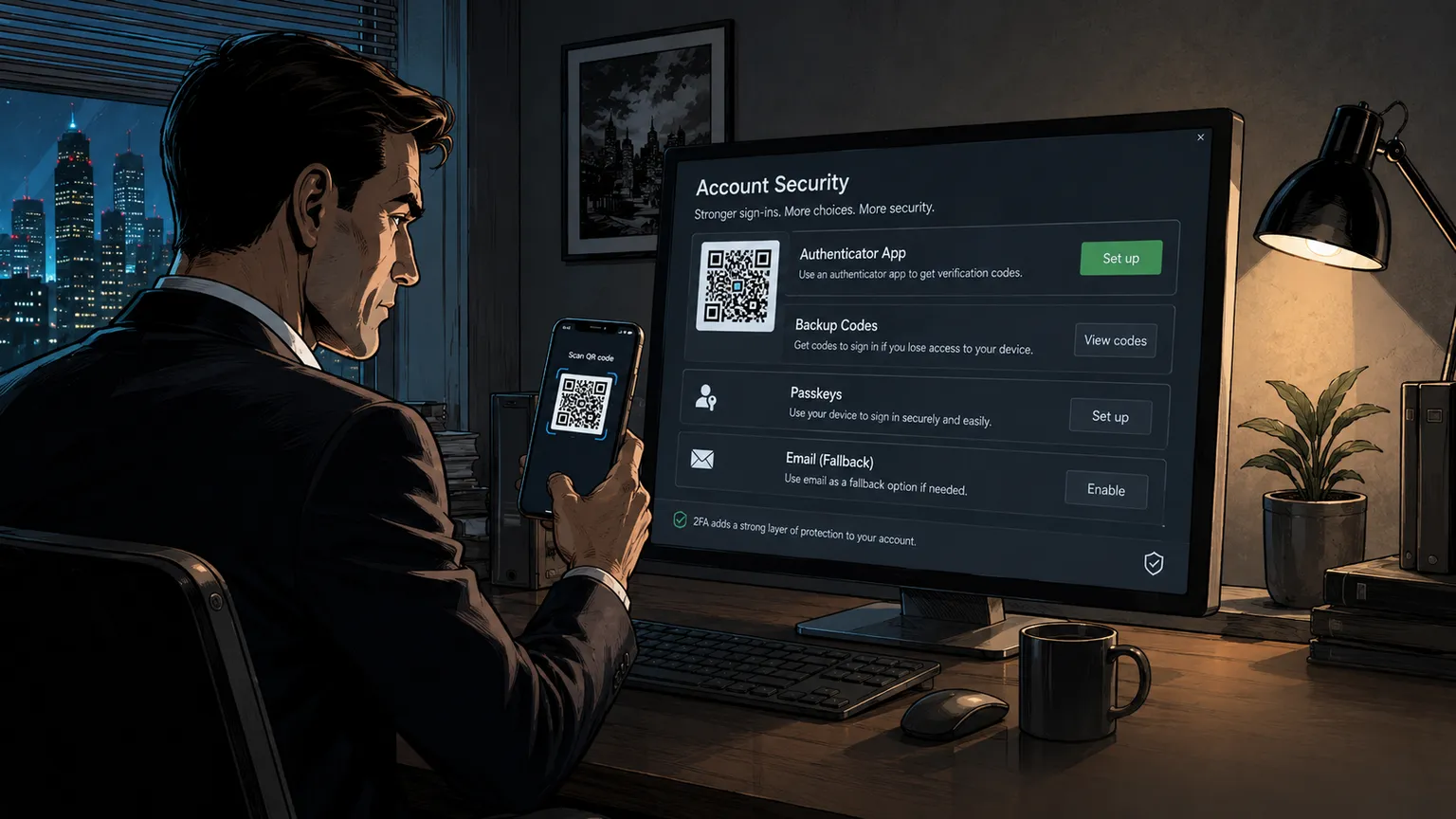
Give users the option to scan a QR code with their own authenticator app and generate their own time-based login codes.
That is it.
No drama. No forced email. No weird company-specific app. No “download our app just to log in twice a year” nonsense.
Let people use the app they already trust.
Personally, I would much rather use a proper authenticator app that is already on my phone, already backed up, and already part of how I manage secure access.
Two good options worth looking at are 2FAS and Ente Auth.
2FAS
2FAS is a strong choice for users who want a clean, simple, privacy-focused authenticator app.
It is easy to use, supports mobile devices, and also offers browser extension support, which can make logging in smoother on desktop. It is a good option for people who want a straightforward 2FA app without feeling trapped inside a giant tech ecosystem.
It also offers backup and sync options, which matter because losing access to your authenticator app can be painful. For many users, 2FAS is a very practical, easy-to-understand choice.
Ente Auth
Ente Auth is an excellent option if you want strong cross-platform flexibility.
It is open source, offers end-to-end encrypted backups, and syncs across mobile, desktop and web. That matters because people do not live on one device anymore.
You might use an iPhone, a Windows laptop, a Linux machine, an Android tablet, or a browser session while travelling. A good authenticator should not make that painful.
For users who care about encrypted sync across different platforms, Ente Auth is very easy to recommend.
No, This Is Not About Pushing One App
This is not about forcing everyone to use one specific app.
That would be the same mistake in a different outfit.
The point is choice.
Let users choose 2FAS.
Let users choose Ente Auth.
Let users choose Bitwarden, 1Password, Proton Authenticator, Google Authenticator, Microsoft Authenticator, or another trusted app.
The company does not need to control the app. It just needs to support the standard.
The Better 2FA Setup Companies Should Offer
A serious company should not offer just one login protection method and call it done.
A proper setup should include:
1. Authenticator App Support
This should be the default serious option.
Let users scan a QR code and use the authenticator app they already trust.
Do not force them into email codes only.
2. Backup Codes
People lose phones. Devices break. Apps get removed. Mistakes happen.
Backup codes are boring, but important. Give users one-time recovery codes and explain clearly that they should store them safely.
3. Passkeys Where Possible
Passkeys are becoming more common and can be very strong when implemented well.
They are not perfect for every situation yet, and not every user understands them, but they should be part of the future login mix.
4. Email Codes As A Fallback, Not The Main Event
Email codes should exist as a recovery or fallback option.
They should not be the only “secure” option offered to everyone.
When email is the only second factor, the company is often choosing simplicity for itself over stronger security for the user.
5. Clear Recovery Rules
Recovery is where many systems fall apart.
If account recovery is too easy, attackers abuse it. If it is too hard, real users get locked out.
Companies need clear, sensible recovery steps that do not destroy the whole point of 2FA.
“But Some Users Find Authenticator Apps Confusing”
Yes. Some do.
That is not a reason to avoid them.
It is a reason to explain them better.
Most users also found online banking, password managers, QR codes, and video calls confusing at some point. Then companies made them normal.
A good 2FA setup can still offer email codes for less technical users. But it should not block more security-aware users from choosing a better method.
Give people options.
Do not drag everyone down to the weakest common method.
Security Should Feel Like Control, Not Punishment
The best security tools make you feel more in control.
A proper authenticator app does that.
The code is on your device. It works quickly. It does not depend on an email arriving. It does not require you to open another inbox, wait for a message, or hope that the mail server is in a good mood.
Better still, the code changes quickly. In most setups, it is only useful for about 30 seconds. That makes it much harder for an attacker to reuse, store, or abuse later.
Email codes often feel like a company saying:
“We care about your security, but only in the way that was easiest for us to build.”
That is not good enough anymore.
The Bottom Line
Companies should absolutely implement 2FA.
But they should stop pretending that email codes are the best version of it.
They are a useful fallback. They are not the standard we should settle for.
Authenticator apps should be offered as a basic option, not as some advanced feature hidden away for technical users.
Let people use 2FAS.
Let people use Ente Auth.
Let people use the 2FA app they already trust and carry with them every day.
Because I may not always be near my inbox.
I may not always have email open.
I may not always be at my desk.
But my phone is usually with me.
My authenticator app is ready.
The code is there instantly.
And 30 seconds later, it is gone.
That is exactly why it works.
Companies that claim to care about security should let people use it.
Important:
For the best security, don't keep all your eggs in one basket.
It's usually smarter not to store your 2FA codes in the same app that holds your passwords.
If one app or account is compromised, you don't want everything falling at once.
Security works best when you keep different parts of it separate.
Security first: keep parts of your security... secure.
